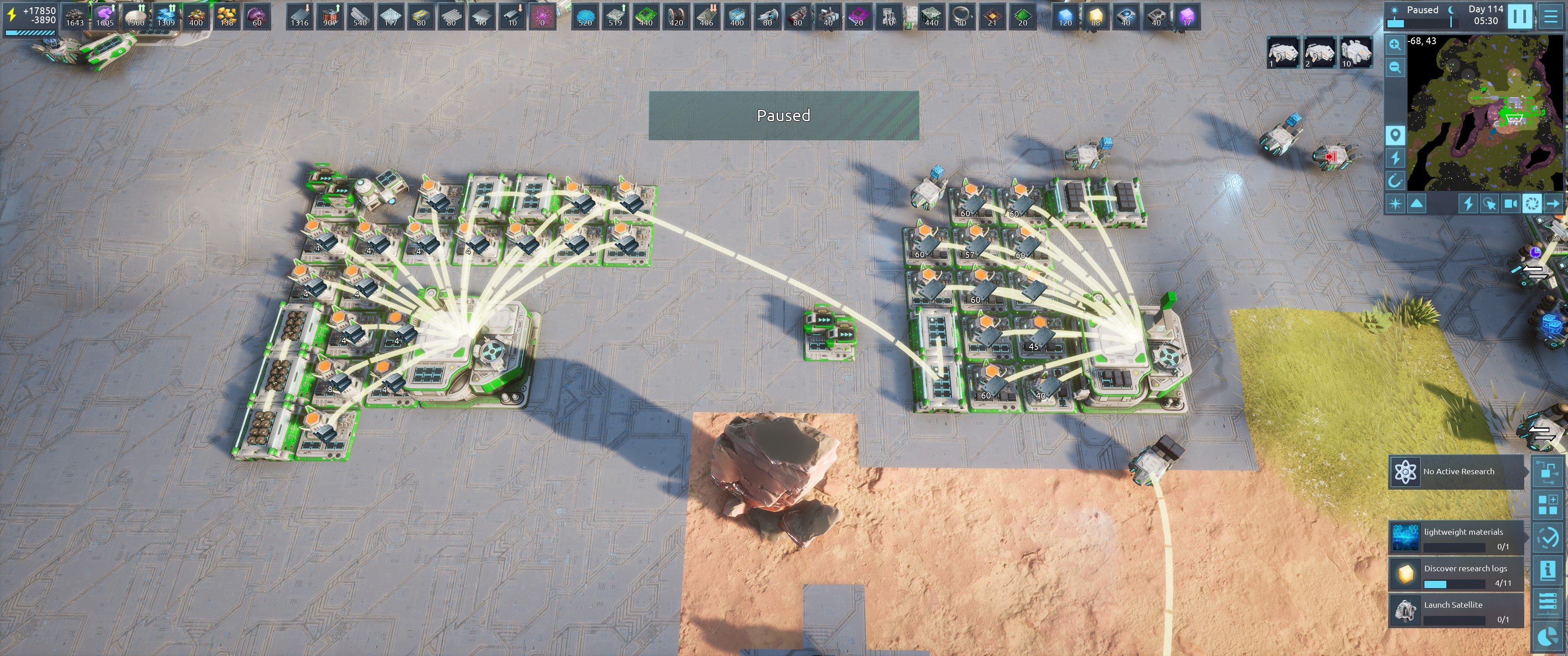
1. There are "hung" logistics orders because in the process of trying to set this up, I allowed bots/drones access to the buildings-- by disabling "item transporters only" and the left cluster on channel 2 and the right cluster on channel 2 want to fulfill a delivery... but even though there is nothing that can reach from left to right, it still set up a direct order (as part of a "shared storage" behavior in the storage blocks on the right cluster?)
I will turn on "item transporters only" after I upload this save and report results in discord, but I do not expect that the order to transport metal bars from the left cluster to the right cluster is going to be cleared by changing settings-- and you might argue that this is intended behavior (I get a lot of that at work)-- but it's not intuitive behavior, and it's difficult to troubleshoot... and it's difficult to clear. I have to go to each building and clear orders on each building after I update the logistics settings to work around this problem.
2. If you select the building I marked in the screenshot I posted to the discord server, you can see the that STORE target points to a building with empty slots but it says there are no free slots in the store target tooltip... and if you check the delivery path for store targets, they're empty all along the path. I don't think these two things are related. But it's distracting from the actual problem described in #1 above to have a tooltil that tells me that the destination I want to send things has no free space and causes me to look for a way to determine if that state message has any contribution to the problem of resources not traveling as expected.